
Gemini CLI in 2026: Install for Code Assist Teams (and When to Use Antigravity)
Also available in Hindi: यह लेख हिंदी में पढ़ें
Gemini CLI is Google's open-source terminal agent for working with Gemini models against your local project: explain code, edit files, run tools and connect MCP servers. In mid-2026 Google changed who should install which CLI. This tutorial follows the current official README and Cloud docs, not older “free for everyone” blog posts.
Read this before you install
The google-gemini/gemini-cli README status note says:
- Gemini CLI is aimed at Gemini Code Assist Standard / Enterprise and Code Assist for GitHub on Google Cloud.
- Free individual access and Google AI Pro / Ultra moved to Antigravity CLI (
agy) on 18 June 2026. - Gemini CLI is not optimized for Gemini 4+ models and should not be used to benchmark them.
Google Cloud's Gemini CLI page repeats the warning: for the best coding experience with the latest Gemini models, use Antigravity CLI. Code Assist quotas for Gemini CLI are shared with Gemini Code Assist agent mode; pay-as-you-go Gemini API keys are also mentioned.

Install Gemini CLI
From the project README and geminicli.com docs:
npm install -g @google/gemini-cli
# or one-shot
npx @google/gemini-cli
# macOS/Linux alternative listed in the README
brew install gemini-cli
Cloud Shell users get Gemini CLI without extra setup per Google Cloud docs. Follow the official authentication guide for Code Assist, Vertex or API key paths your organisation supports — do not assume a free personal Google AI login still works for this binary.
First useful session
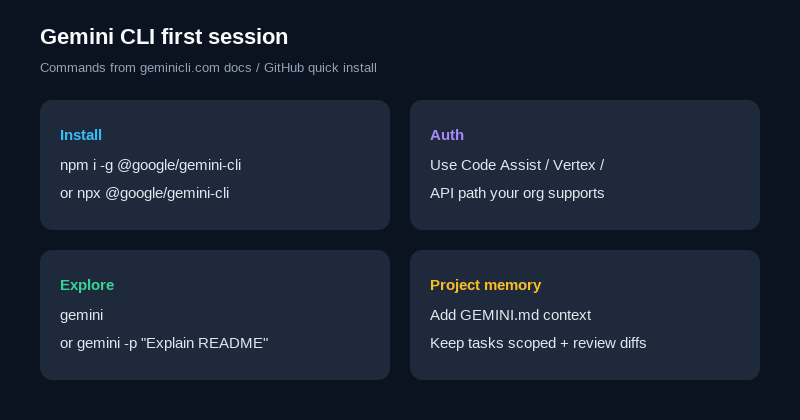
cdinto a git repo and create a clean branch.- Run
geminifor an interactive REPL, orgemini -p "Summarize this repository's layout"for a one-shot prompt (cheatsheet patterns from the docs). - Ask read-only questions first: how tests run, where auth lives, what a failing stack trace means.
- Add project memory with GEMINI.md (documented under project context) so recurring rules stay out of every prompt.
- For edits, keep scope tight, review diffs, and prefer plan/read-only modes when available before write-heavy steps.
- Resume work with session flags such as
gemini -r "latest"when the cheatsheet matches your installed version (gemini --helpto confirm).
When to choose Antigravity instead
Pick Antigravity CLI if you are an individual on free / Google AI Pro & Ultra, or you need Gemini 4-series interactive multi-agent coding. Pick Gemini API CLI when you only need a stateless API helper for scripts or other agents. Stay on Gemini CLI when your company already standardises on Code Assist Standard/Enterprise or Code Assist for GitHub and your admin confirms quota and data-protection settings.
For broader agent comparisons, see Claude Code vs Codex and how to build an AI agent.
Sources
- google-gemini/gemini-cli README (status + install)
- Gemini CLI documentation
- Gemini CLI cheatsheet
- Google Cloud: Gemini CLI
- Google for Developers: Gemini CLI
Related reading: Claude Code Tutorial for Beginners (2026 Guide), Claude Code vs Antigravity: Which Should You Use?, Antigravity Knowledge Work Layout: Setup Guide for Teams and Gemini 2.5 Pro and Flash Deprecation: Migration Checklist.
FAQ
Is Gemini CLI still free for personal Google AI plans?
According to the official README, free individual access and Google AI Pro/Ultra moved to Antigravity CLI on 18 June 2026. Gemini CLI targets Code Assist Standard/Enterprise (and related GitHub Code Assist) workflows.
How do I install it quickly?
npm install -g @google/gemini-cli, npx @google/gemini-cli, or brew install gemini-cli as listed in the README. Confirm auth against current docs for your account type.
Can I use it in Cloud Shell?
Yes. Google Cloud documentation says Gemini CLI is available in Cloud Shell without additional setup.
Should I benchmark Gemini 4 with Gemini CLI?
No. The README explicitly says the harness is not tuned for Gemini 4+ and scores would be unrepresentative.